> ## Documentation Index
> Fetch the complete documentation index at: https://docs.thesys.dev/llms.txt
> Use this file to discover all available pages before exploring further.
# Conversation persistence
> Persisting threads and chat history using Firebase
## Overview
This guide provides step-by-step instructions to implement chat persistence using Firebase Firestore within a Next.js application powered by the **Thesys C1 GenUI SDK**.
By following this guide, you'll learn how to store, retrieve, and manage chat threads and messages, enabling a seamless user experience across sessions.
The complete code for the example referenced in this guide can be found in the
[Thesys examples repository](https://github.com/thesysdev/examples/tree/main/persistence-in-c1-chat-using-firebase).
## Implementation Steps
First, ensure your Firebase project is ready and the Firebase SDK is configured in your Next.js application.
1. Go to the [Firebase Console](https://console.firebase.google.com/),and copy the `firebaseConfig` object.
Here are the detailed step-by-step instructions on how to setup the database and fetch the firebase configuration:
1. **Create Firestore Database:**
* Create a new project or use an existing one in the [Firebase Console](https://console.firebase.google.com/).
* Navigate to "Firestore Database" and click "Create database".
* Choose to start in **Test mode** for easier setup for the demo. This allows open read/write access for about 30 days.
* **Important:** Test mode rules are insecure and should not be used in a production environment.
2. **Get Firebase Configuration:**
* In your Firebase project, go to "Project settings" (gear icon) > "General" tab.
* Under "Your apps", click "Add app" and select the Web platform (``).
* Register your app and Firebase will provide a `firebaseConfig` object. Copy this object.
2. **Update Firebase Config File (`src/firebaseConfig.ts`):**
Replace the placeholder values in `firebaseConfig` with your actual credentials in `src/firebaseConfig.ts`:
```typescript src/firebaseConfig.ts [expandable] theme={null}
import { initializeApp, getApp, getApps } from "firebase/app";
import { getFirestore } from "firebase/firestore";
// IMPORTANT: Replace these with your actual Firebase project configuration!
const firebaseConfig = {
apiKey: "YOUR_FIREBASE_API_KEY",
authDomain: "YOUR_AUTH_DOMAIN",
projectId: "YOUR_PROJECT_ID",
storageBucket: "YOUR_STORAGE_BUCKET",
messagingSenderId: "YOUR_MESSAGING_SENDER_ID",
appId: "YOUR_APP_ID",
measurementId: "YOUR_MEASUREMENT_ID"
};
// Initialize Firebase
let app;
if (!getApps().length) {
app = initializeApp(firebaseConfig);
} else {
app = getApp();
}
const db = getFirestore(app);
export { db };
```
Implement a service layer **that handles** persistence logic using Firestore.
Create `src/services/threadService.ts`:
**1. Core CRUD Functions:**
Implement functions to create, read, update, and delete threads and messages.
Refer to the [complete example `threadService.ts`](https://github.com/thesysdev/examples/blob/main/persistence-in-c1-chat-using-firebase/src/services/threadService.ts) for full implementations of others like `getThreadList`, `getUIThreadMessages`, `getLLMThreadMessages`, `updateMessage`, `deleteThread`, and `updateThread` similarly.
```typescript src/services/threadService.ts (createThread) theme={null}
export const createThread = async (name: string): Promise => {
const newThreadRef = await addDoc(collection(db, THREADS_COLLECTION), {
name: name,
messages: [],
createdAt: serverTimestamp(),
});
return {
threadId: newThreadRef.id,
title: name,
createdAt: new Date(),
};
};
```
```typescript src/services/threadService.ts (addMessages) theme={null}
export const addMessages = async (threadId: string, ...messages: Message[]) => {
if (!threadId) throw new Error("threadId is required for addMessages");
const threadRef = doc(db, THREADS_COLLECTION, threadId);
const threadSnap = await getDoc(threadRef);
if (!threadSnap.exists()) {
throw new Error(`Thread with id ${threadId} not found.`);
}
const existingMessages = (threadSnap.data()?.messages as Message[]) ?? [];
const newMessages = existingMessages.concat(messages);
await updateDoc(threadRef, {
messages: newMessages,
});
};
```
Configure C1Chat component (`src/app/page.tsx`) to use the functions in `threadService.ts` for data operations.
1. **Configure C1 SDK Hooks:**
Pass the `threadService` functions to the `useThreadListManager` and `useThreadManager` hooks.
```typescript src/app/page.tsx (Hook Configuration) [expandable] theme={null}
const threadListManager = useThreadListManager({
fetchThreadList: () => getThreadList(),
deleteThread: (threadId) => deleteThread(threadId),
updateThread: (t) => updateThread({ threadId: t.threadId, name: t.title }),
onSwitchToNew: () => {
replace(`${pathname}`);
},
onSelectThread: (threadId) => {
const newSearch = `?threadId=${threadId}`;
replace(`${pathname}${newSearch}`);
},
createThread: (message) => {
return createThread(message.message!);
},
});
const threadManager = useThreadManager({
threadListManager,
loadThread: async (threadId) => await getUIThreadMessages(threadId),
onUpdateMessage: async ({ message }) => {
await updateMessage(threadListManager.selectedThreadId!, message);
},
apiUrl: "/api/chat",
});
```
See the [complete example `page.tsx`](https://github.com/thesysdev/examples/blob/main/persistence-in-c1-chat-using-firebase/src/app/page.tsx) for detailed hook setup with imports.
Add Chat Api route to use Thesys C1 Api along with functions in `threadService.ts` for fetching historical messages and saving new ones.
1. **Fetch History for LLM:**
Before calling the LLM, fetch the existing messages for the thread using `getLLMThreadMessages`.
```typescript src/app/api/chat/route.ts (Fetch History) theme={null}
const llmMessages = await getLLMThreadMessages(threadId);
const runToolsResponse = client.beta.chat.completions.runTools({
model: "c1/anthropic/claude-sonnet-4/v-20251230",
messages: [
...llmMessages, // Add previous messages
{
role: "user",
content: prompt.content!,
},
],
stream: true,
tools,
});
```
2. **Save Messages on Stream End:**
In the `on("end")` event of the LLM stream, use `addMessages` to store the new user prompt and all assistant/tool messages generated in that turn.
```typescript src/app/api/chat/route.ts (Save Messages) theme={null}
runToolsResponse.on("end", async () => {
if (isError) {
return;
}
const runToolsMessagesWithId = allRunToolsMessages.map((m, index) => {
const id =
allRunToolsMessages.length - 1 === index // for last message (the response shown to user), use the responseId as provided by the UI
? responseId
: crypto.randomUUID();
return {
...m,
id,
};
});
const messagesToStore = [prompt, ...runToolsMessagesWithId];
await addMessages(threadId, ...messagesToStore);
});
```
Refer to the [complete example `/api/chat/route.ts`](https://github.com/thesysdev/examples/blob/main/persistence-in-c1-chat-using-firebase/src/app/api/chat/route.ts) for context.
## Running and Testing
1. Ensure your Firebase credentials are correctly set in `src/firebaseConfig.ts`.
2. Ensure your `THESYS_API_KEY` is set in `.env`.
3. Run `npm run dev`.
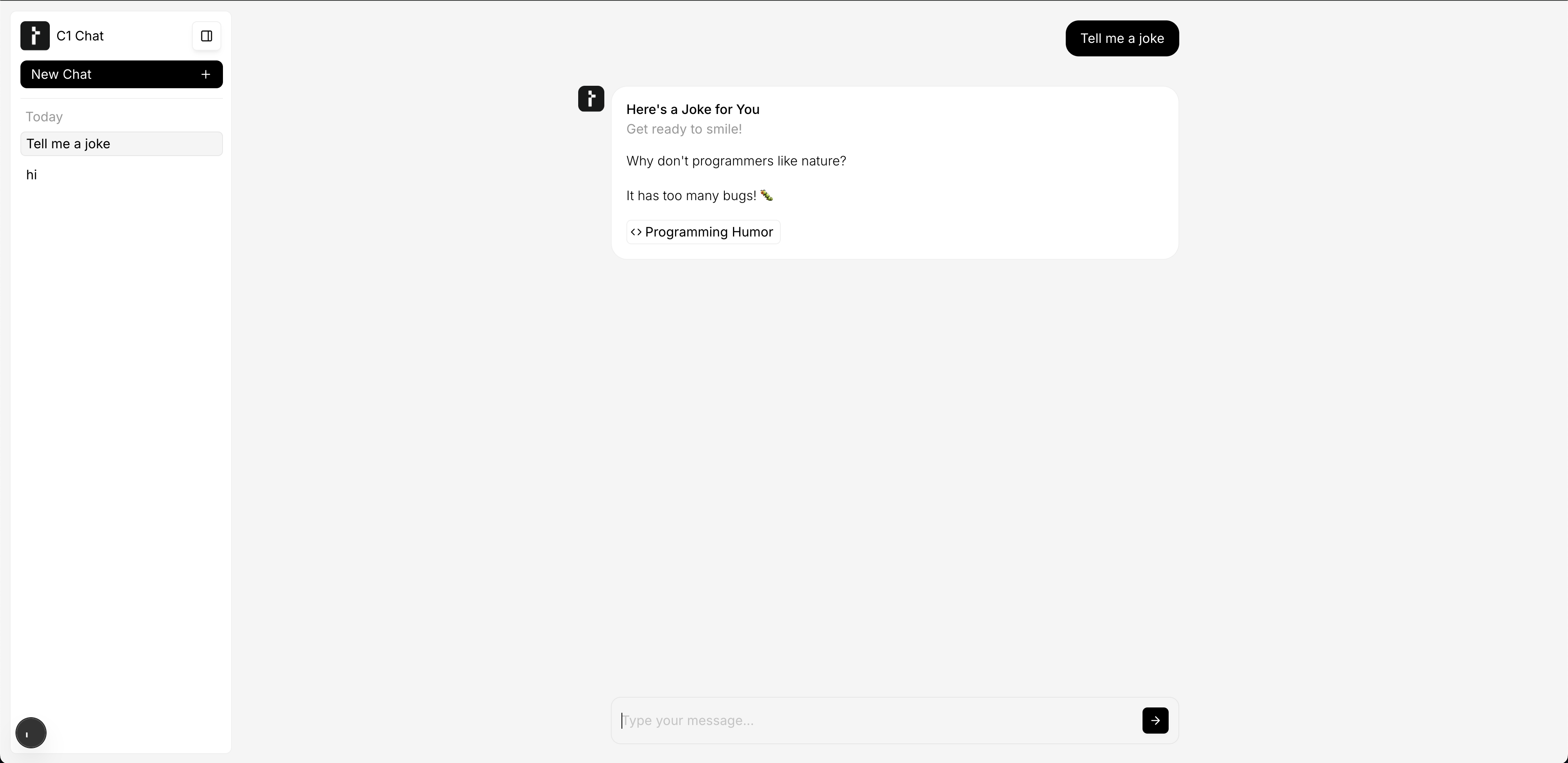
4. Test creating new chats, sending messages, switching between chats, and refreshing the page to see if history persists. Check the Firebase console to see data being written to Firestore.
**Test it Out!**
 ## Conclusion
By following this guide, you've integrated Firebase Firestore for robust chat persistence in your conversational application.
This setup provides a scalable backend for your chat data, enhancing user experience by preserving conversation history.
## Conclusion
By following this guide, you've integrated Firebase Firestore for robust chat persistence in your conversational application.
This setup provides a scalable backend for your chat data, enhancing user experience by preserving conversation history.