> ## Documentation Index
> Fetch the complete documentation index at: https://docs.thesys.dev/llms.txt
> Use this file to discover all available pages before exploring further.
# Sharing an Entire Thread
> Let users generate a shareable link for the full conversation thread.
This guide assumes that you have completed the [Quickstart](/guides/conversational/getting-started).
An example project demonstrating implementation of this guide can be found
[here](https://github.com/thesysdev/examples/tree/main/sharing-generated-ui).
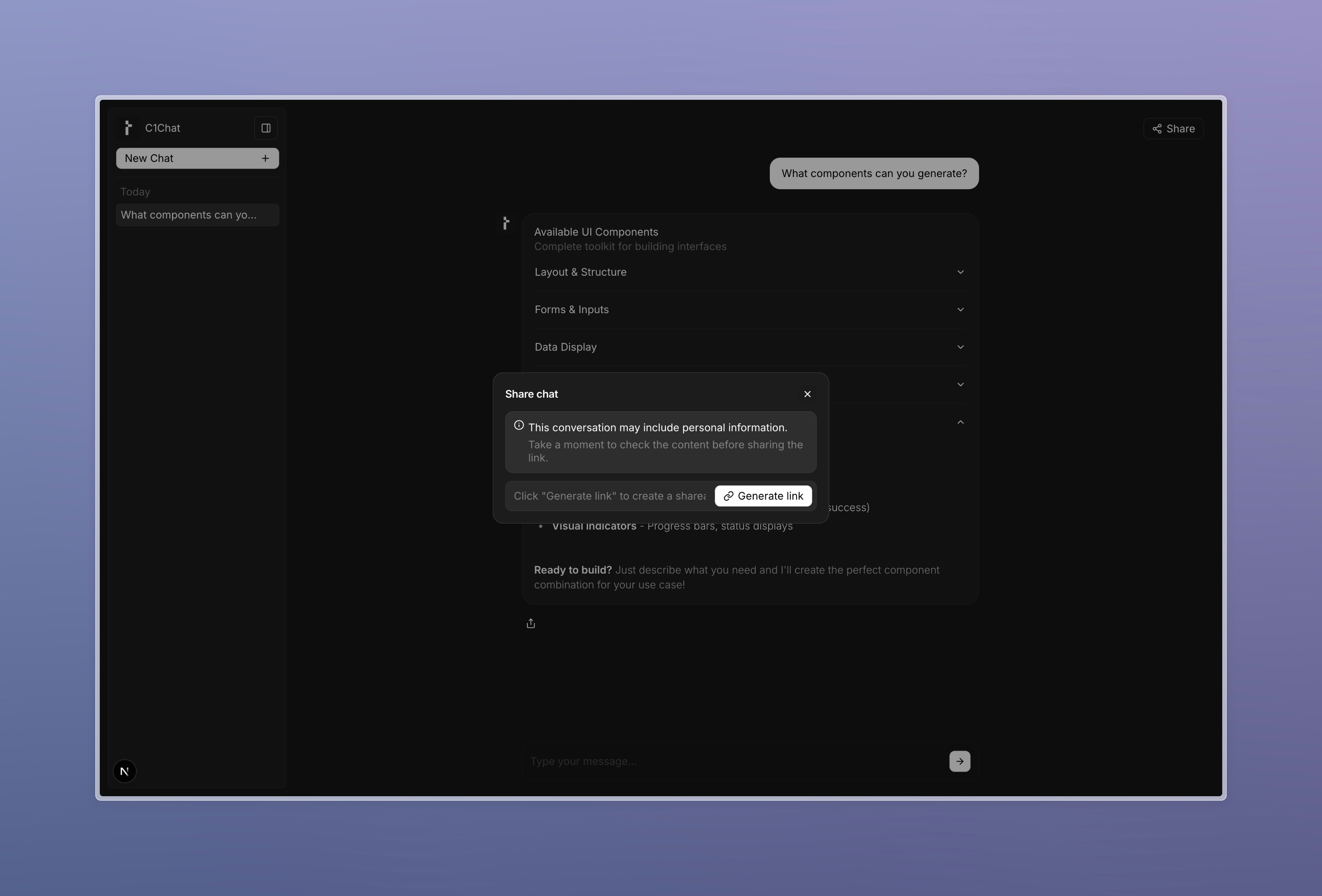
Enable thread-level sharing with the `C1ShareThread` component. You provide a `generateShareLink(messages)` function; the SDK gathers messages, opens a modal, and handles copying/confirmation.
First, destructure the `C1Chat` component as explained the [Integrating Custom Components](/guides/custom-components) guide, so that you can integrate a custom header. Next,
use the `C1ShareThread` component to display a share button in your chat header, which automatically opens a modal to generate a share link using the `generateShareLink` function you defined.
The updated code for the chat page will look something like this:
```tsx page.tsx [expandable] theme={null}
// ... imports
export default function Home() {
// ... create a threadManager and threadListManager here
const selectedThreadId = threadListManager.selectedThreadId;
return (
);
}
```
For details on how to create a `threadManager` and a `threadListManager`,
refer to [this guide](/guides/conversational/persistence)
Want a custom button? Provide `customTrigger` to `C1ShareThread`:
```tsx theme={null}
Share Thread}
generateShareLink={
!selectedThreadId
? undefined
: async () => {
const baseUrl = window.location.origin;
return `${baseUrl}/shared/${selectedThreadId}`;
}
}
/>
```
Create a route and component on the frontend to render the shared thread:
```tsx /app/shared/[threadId]/page.tsx [expandable] theme={null}
"use client";
import type { Message } from "@crayonai/react-core";
import { C1ChatViewer } from "@thesysai/genui-sdk";
import { use, useEffect, useState } from "react";
import "@crayonai/react-ui/styles/index.css";
import { Loader } from "@/app/components/Loader";
export default function ViewSharedPage({
params,
}: {
params: Promise<{ threadId: string }>;
}) {
const { threadId } = use(params);
const [messages, setMessages] = useState([]);
useEffect(() => {
const fetchMessages = async () => {
const response = await fetch(`/api/share/${threadId}`);
const messages = await response.json();
setMessages(messages);
};
fetchMessages();
}, [threadId]);
if (!messages || !messages.length) return ;
return ;
}
```
Implement an endpoint that returns the thread for a given `threadId`.
Implement a message store to store the message history. If you've followed the [Quickstart](/guides/conversational/getting-started), you'll have a message store already, which you can move
to a common location (such as `/lib/messageStore.ts`) and modify it to persist message history across API routes and requests as follows:
```ts /lib/messageStore.ts [expandable] theme={null}
import OpenAI from "openai";
export type DBMessage = OpenAI.Chat.ChatCompletionMessageParam & {
id?: string;
};
const messagesStore: {
[threadId: string]: DBMessage[];
} = {};
export const getMessageStore = (id: string) => {
const messageList = await fetchMessagesFromDB(id); // fetch from db here
return {
addMessage: (message: DBMessage) => {
// save to db here
},
messageList,
};
};
```
```ts /app/api/share/[threadId]/route.ts theme={null}
import { NextRequest, NextResponse } from "next/server";
import { getMessageStore } from "@/lib/messageStore";
export async function GET(
req: NextRequest,
{ params }: { params: Promise<{ threadId: string }> }
) {
const { threadId } = await params;
if (!threadId) {
return NextResponse.json(
{ error: "Thread ID is required" },
{ status: 400 }
);
}
const messageStore = getMessageStore(threadId);
return NextResponse.json(messageStore.messageList);
}
```
* Open a conversation with multiple messages.
* Click the thread share button.
* Generate and copy the link from the modal.