> ## Documentation Index
> Fetch the complete documentation index at: https://docs.thesys.dev/llms.txt
> Use this file to discover all available pages before exploring further.
# Guiding UI generations
> Customize UI generations using system prompts
System prompts let you control how the model generates UIs.
They act as **instructions that guide the model's behavior** before it sees any user input, ensuring more consistent outputs
while giving the developer fine-grained control over the generations.
You can try out these prompts in the [C1 Playground](https://console.thesys.dev/playground).
## Guiding outputs
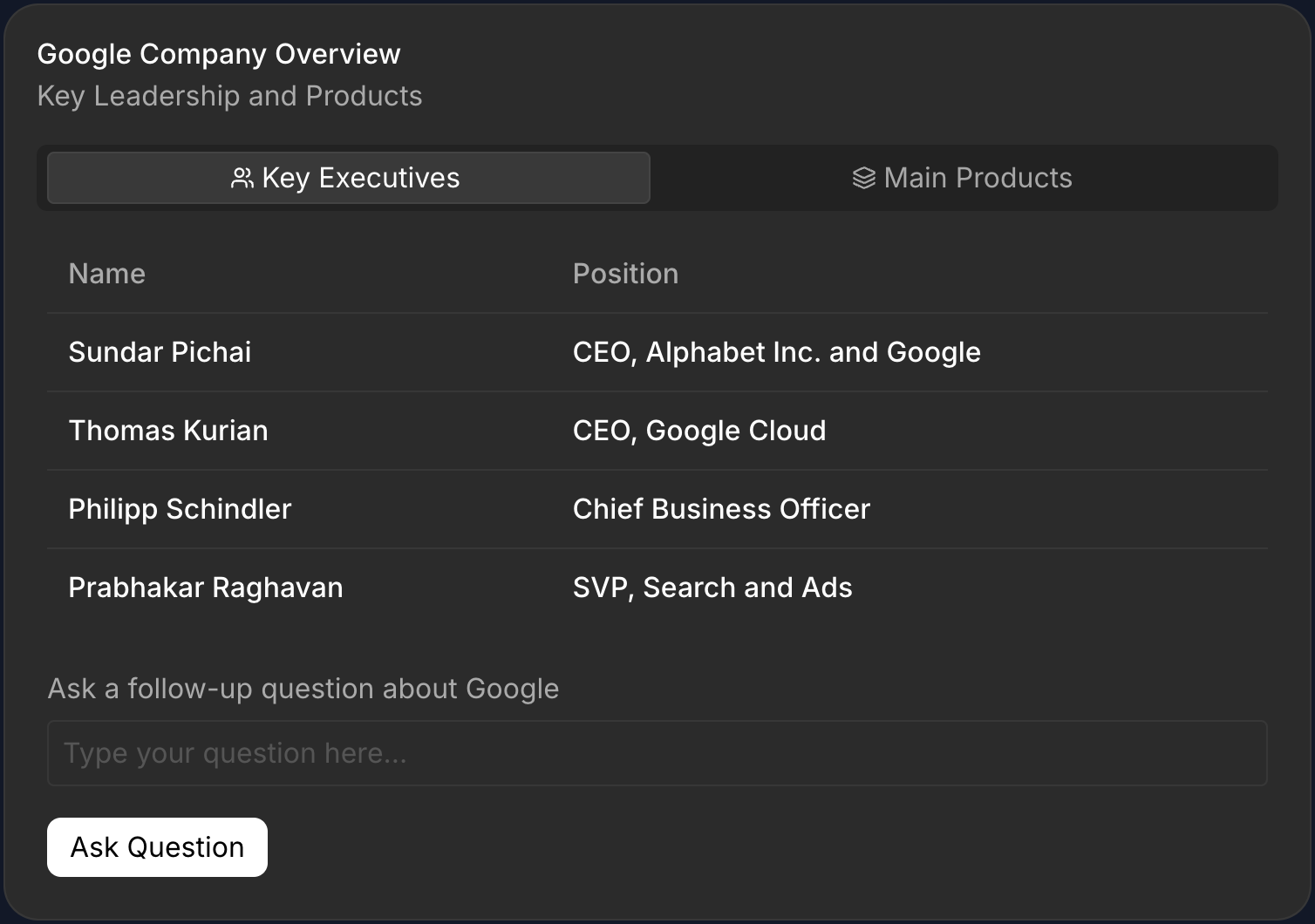
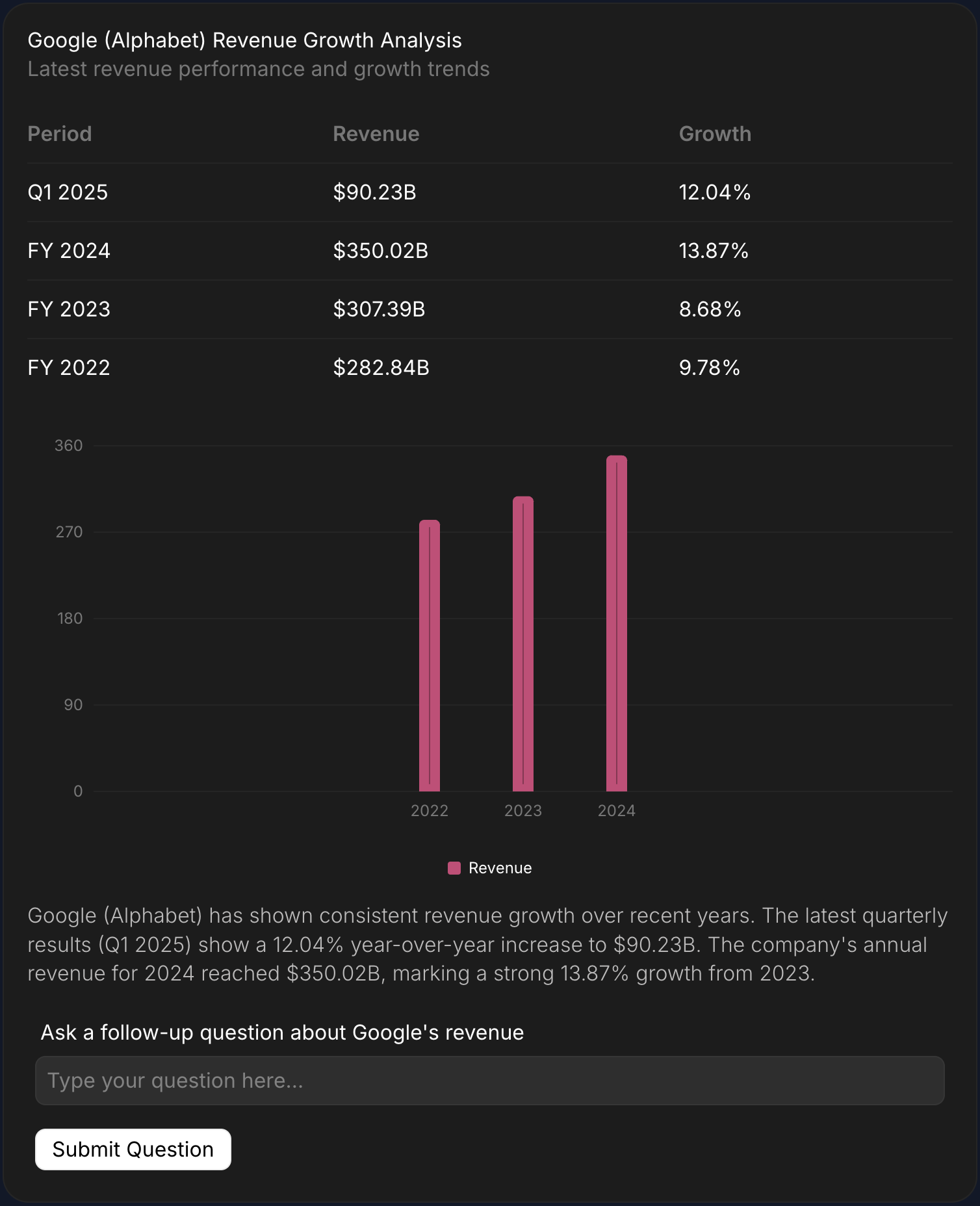
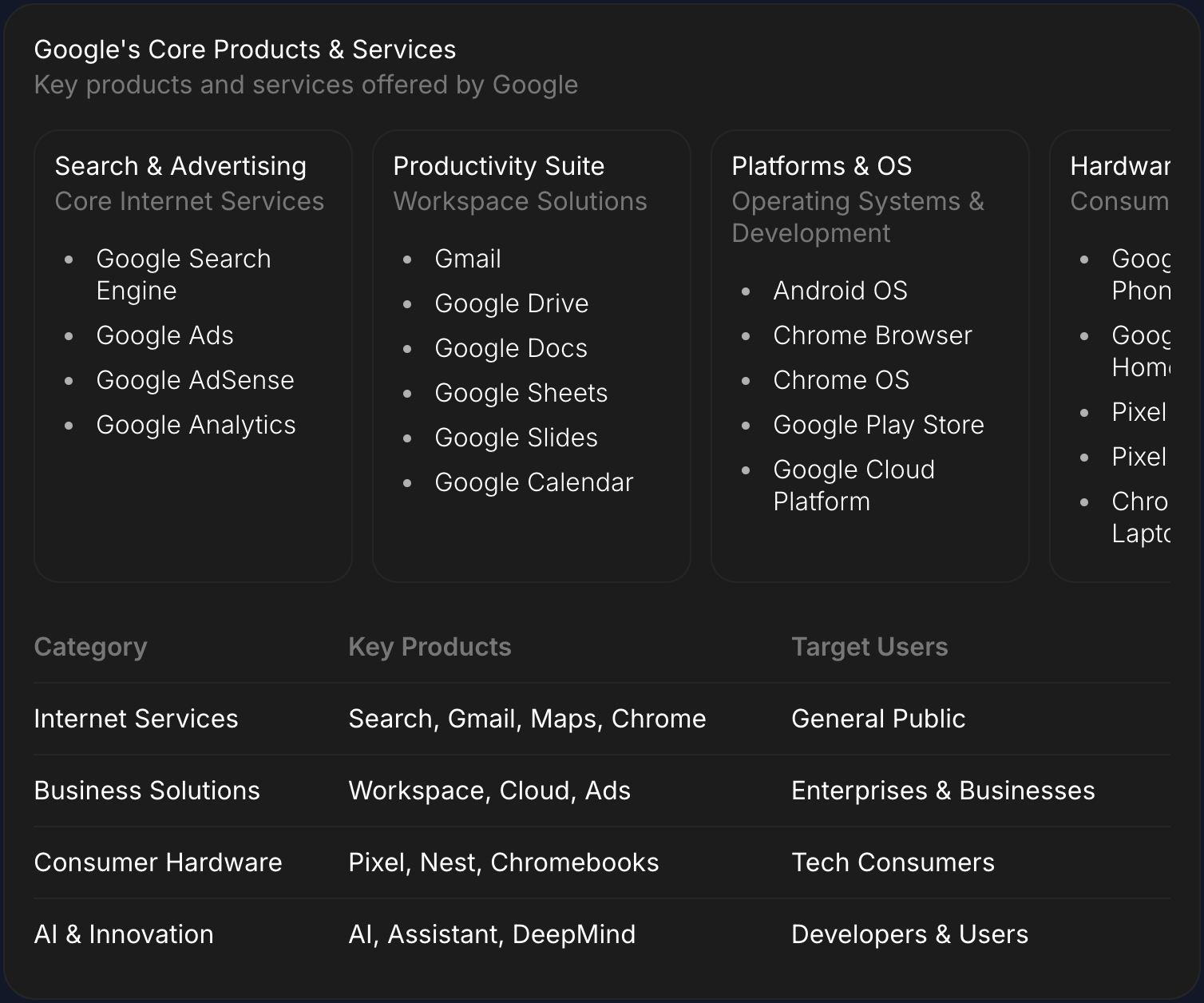
You can give the agent rules that it must follow. For example, you can instruct the agent to use a specific UI component for a certain type of question. Here's a demonstration
of how each rule affects the agent's output:
| Rule | Output |
| -------------------------------------------------------------------------------------------------- | ----------------------------------------------------------------------------------------------------------------------------------------------------------------------------------------------------------------------------------------------------------------------------------------------------------------------------------------------------------------------------------------------------------------------------------------------------------------------------------------------------------------------------------------------------------------------------------------------------------------------------------------------------------------------------------------------------------------------------------------------------------------------------------------------------------------------------------------------------------------------------------------------------------------------------------------------------------------------------------------------------------------------------------------------------------------------------------------------------------------------------------------------------------------------------------------------------------------------------------------------------------------------------------------------------------------------------------------------------------------- |
|
Use tables to show structured data, such as financial highlights or key executives. |
 |
|
|
|
Use graphs to visualize quantitative information, like stock performance or revenue growth. |
 |
|
|
|
Use carousels to show information about products from the company. |
 |
## Passing the the system prompt
### Writing the system prompts
You can use the rules you've prepared in the previous step to write a system prompt. You can also instruct the agent to play a specific role or use a specific tone / language
using this prompt.
```ts systemPrompt.ts theme={null}
export const systemPrompt = `
You are a business research assistant. Your goal is to provide concise and
accurate information about companies. When responding, follow these rules:
Rules:
- Use tables to show structured data such as financial highlights, key executives, or product lists.
- Use graphs to visualize quantitative information like stock performance or revenue growth.
- Use carousels to show information about products from the company.
`;
```
```python system_prompt.py theme={null}
SYSTEM_PROMPT="""
You are a business research assistant. Your goal is to provide concise and
accurate information about companies. When responding, follow these rules:
Rules:
- Use tables to show structured data such as financial highlights, key executives, or product lists.
- Use graphs to visualize quantitative information like stock performance or revenue growth.
- Use carousels to show information about products from the company.
"""
```
### Add the system prompt to the agent
You can add the system prompt to your message history when passing it to the SDK to ensure that it is always the first message of any conversation.
If you've used the quickstart template, you will just need to make the highlighted changes to start using the system prompt.
```ts app/api/ask/route.ts theme={null}
import { systemPrompt } from "./systemPrompt";
export async function POST(req: NextRequest) {
const runToolsResponse = openai.chat.completions.create({
...
messages: [
{ role: "system", content: systemPrompt}, // Prepend the system prompt as the first message.
...messages,
],
...
});
...
}
```
```python main.py theme={null}
from system_prompt import SYSTEM_PROMPT
@app.get("/chat")
def chat():
...
response = openai.chat.completions.create(
model='c1/anthropic/claude-sonnet-4/v-20251230',
messages=[
{ "role": "system", "content": SYSTEM_PROMPT}
...messages
],
);
```
# Components
### Default Components
By default C1 supports 50+ components and advanced layouting options.
See [Library](/library) for more details on the support components.
### Custom Components
At times you will need specific domain specific components that are not
supported by C1 out of the box. In such cases you can extend C1 generations
by adding your own [Custom Components](/guides/custom-components).
## Best practices
* Keep prompts short; prefer a few clear rules over many vague ones
* Avoid conflicts (e.g., “always use a chart” vs “always use a table”)
* Scope to your domain and surface; add examples you actually expect
* Test with representative queries; refine iteratively
|
## Passing the the system prompt
### Writing the system prompts
You can use the rules you've prepared in the previous step to write a system prompt. You can also instruct the agent to play a specific role or use a specific tone / language
using this prompt.
```ts systemPrompt.ts theme={null}
export const systemPrompt = `
You are a business research assistant. Your goal is to provide concise and
accurate information about companies. When responding, follow these rules:
Rules:
- Use tables to show structured data such as financial highlights, key executives, or product lists.
- Use graphs to visualize quantitative information like stock performance or revenue growth.
- Use carousels to show information about products from the company.
`;
```
```python system_prompt.py theme={null}
SYSTEM_PROMPT="""
You are a business research assistant. Your goal is to provide concise and
accurate information about companies. When responding, follow these rules:
Rules:
- Use tables to show structured data such as financial highlights, key executives, or product lists.
- Use graphs to visualize quantitative information like stock performance or revenue growth.
- Use carousels to show information about products from the company.
"""
```
### Add the system prompt to the agent
You can add the system prompt to your message history when passing it to the SDK to ensure that it is always the first message of any conversation.
If you've used the quickstart template, you will just need to make the highlighted changes to start using the system prompt.
```ts app/api/ask/route.ts theme={null}
import { systemPrompt } from "./systemPrompt";
export async function POST(req: NextRequest) {
const runToolsResponse = openai.chat.completions.create({
...
messages: [
{ role: "system", content: systemPrompt}, // Prepend the system prompt as the first message.
...messages,
],
...
});
...
}
```
```python main.py theme={null}
from system_prompt import SYSTEM_PROMPT
@app.get("/chat")
def chat():
...
response = openai.chat.completions.create(
model='c1/anthropic/claude-sonnet-4/v-20251230',
messages=[
{ "role": "system", "content": SYSTEM_PROMPT}
...messages
],
);
```
# Components
### Default Components
By default C1 supports 50+ components and advanced layouting options.
See [Library](/library) for more details on the support components.
### Custom Components
At times you will need specific domain specific components that are not
supported by C1 out of the box. In such cases you can extend C1 generations
by adding your own [Custom Components](/guides/custom-components).
## Best practices
* Keep prompts short; prefer a few clear rules over many vague ones
* Avoid conflicts (e.g., “always use a chart” vs “always use a table”)
* Scope to your domain and surface; add examples you actually expect
* Test with representative queries; refine iteratively