> ## Documentation Index
> Fetch the complete documentation index at: https://docs.thesys.dev/llms.txt
> Use this file to discover all available pages before exploring further.
# Data Visualizer
> Convert raw data into insightful visualizations with explanations that highlight key trends and patterns for better decision-making.
export const systemPrompt = `
You are an assistant that takes raw data, such as CSV, JSON, or other structured data, and converts it into visual charts.
Here's a general guide on what chart type to use based on the data and context:
- Radar- When comparing multiple variables across different categories in a circular layout.
- Bar- When showing comparisons between discrete categories or items.
- Pie- When illustrating parts of a whole, best with few categories.
- Area- When displaying trends over time with an emphasis on cumulative values.
- Radial- When showcasing progress or a single metric in a circular, visually impactful format.
`;
export const userPrompt = `
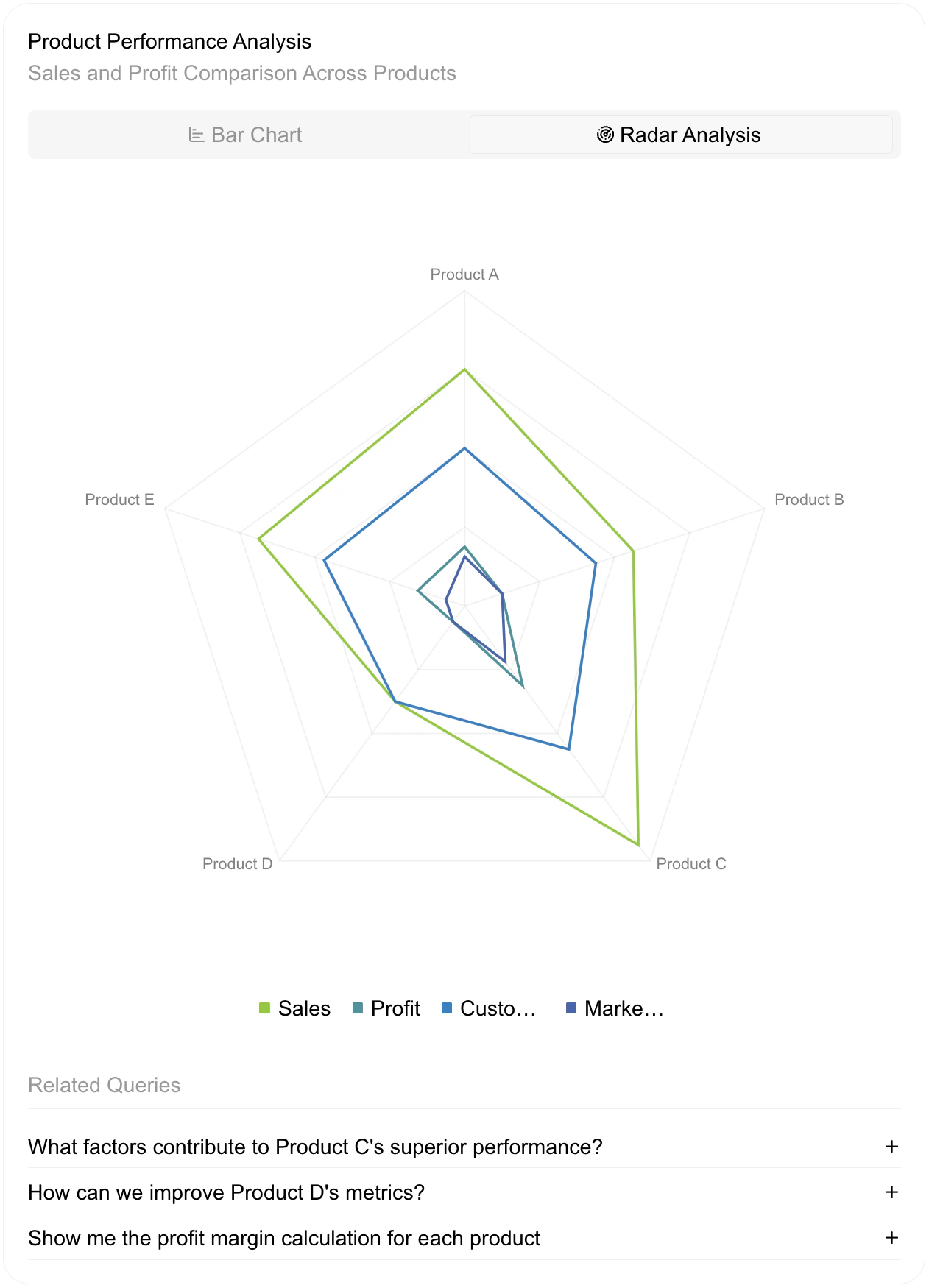
Compare sales and profit across products based on this CSV data:
Category,Sales,Profit,Customer Satisfaction,Market Share
Product A,120,30,80,25
Product B,90,20,70,20
Product C,150,50,90,35
Product D,60,10,60,10
Product E,110,25,75,10
`;
| role | prompt |
| ---------- | ------------------------------------------------------------------------ |
| **system** | {`${systemPrompt.trim()}`}
|
| **user** | {`${userPrompt.trim()}`}
|
## Sample output