You can use the details and parameters listed here to instruct the LLM in your prompts to generate specific and consistently formatted slides.

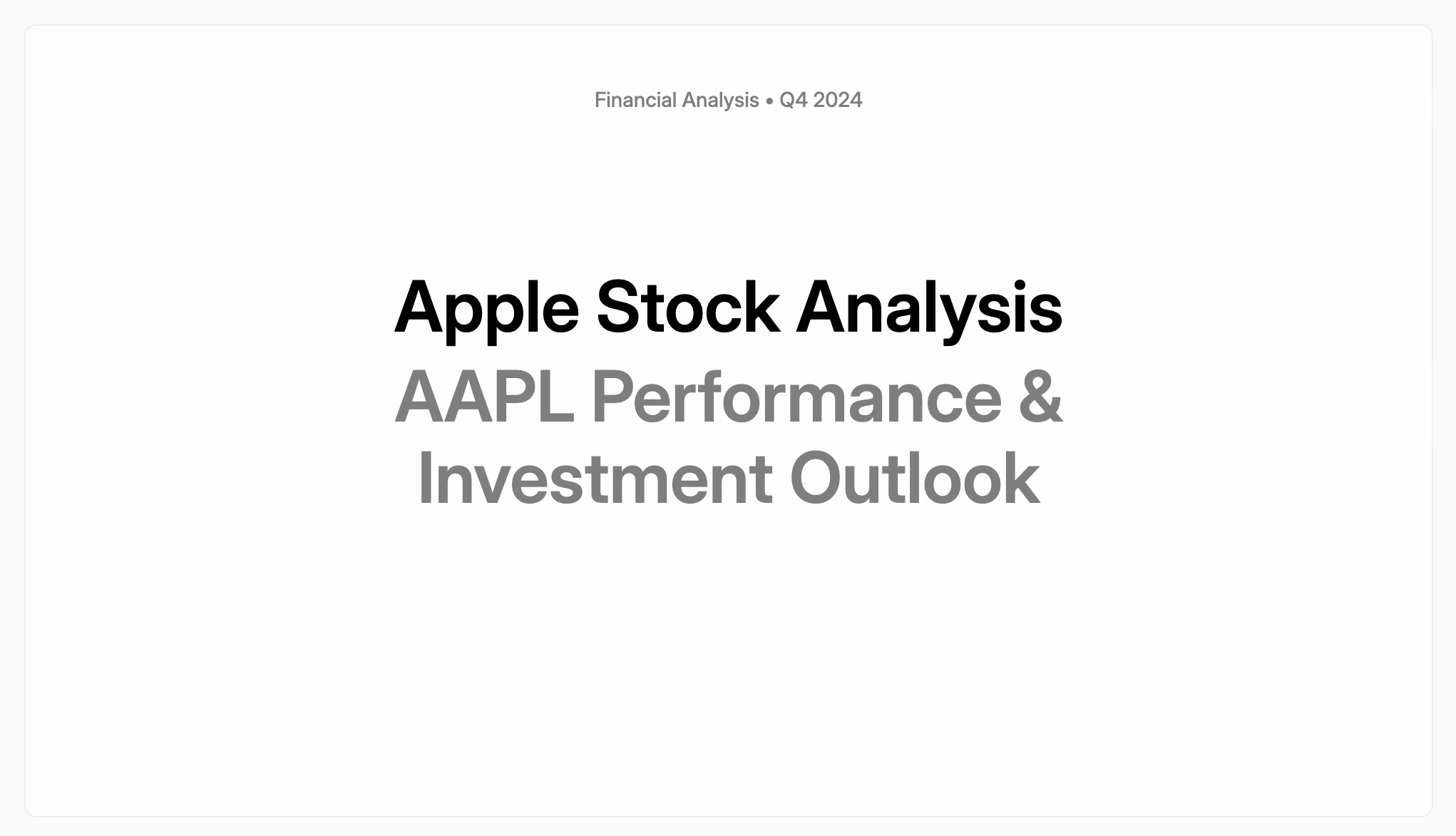
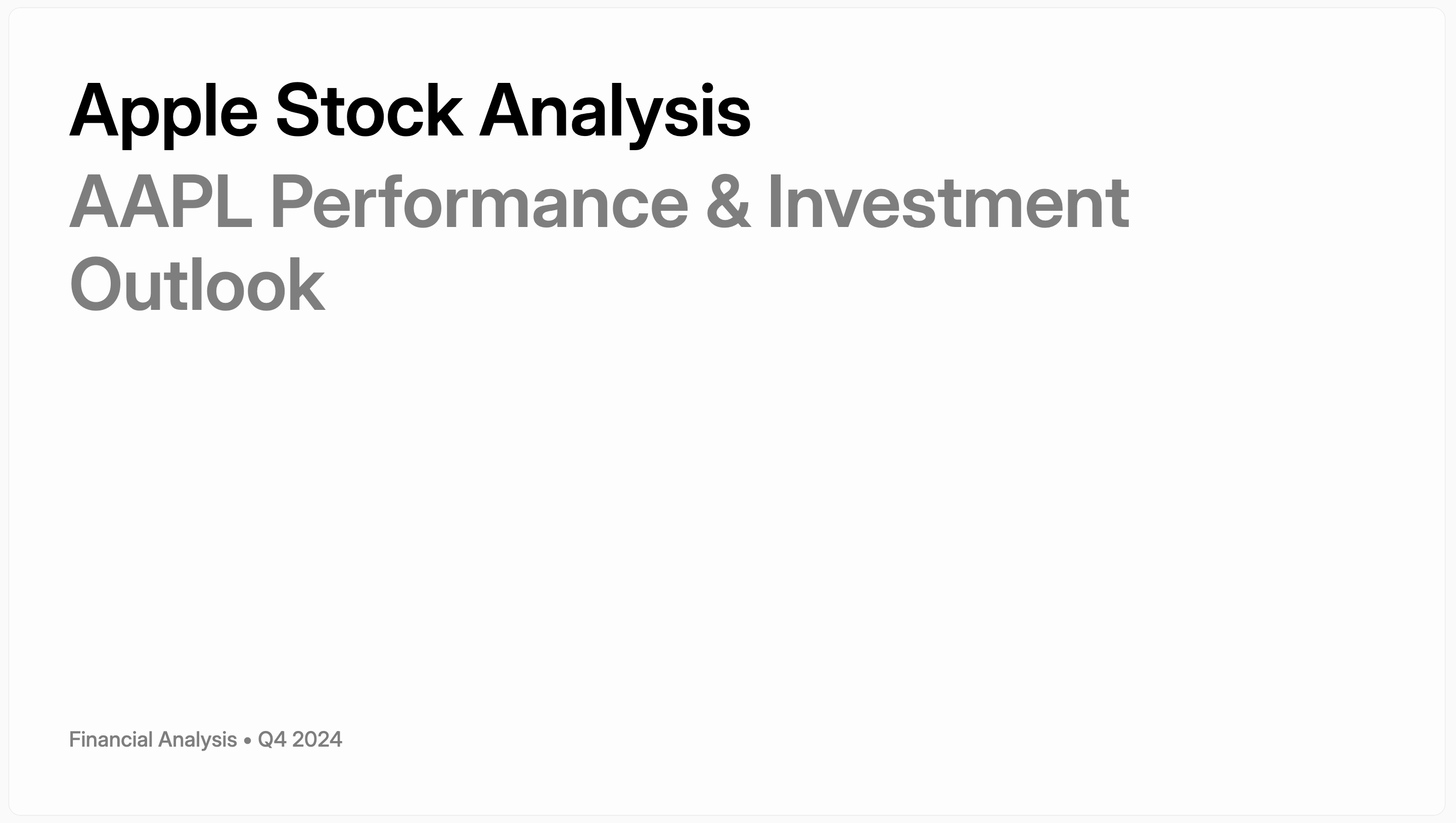
TitleWithImage

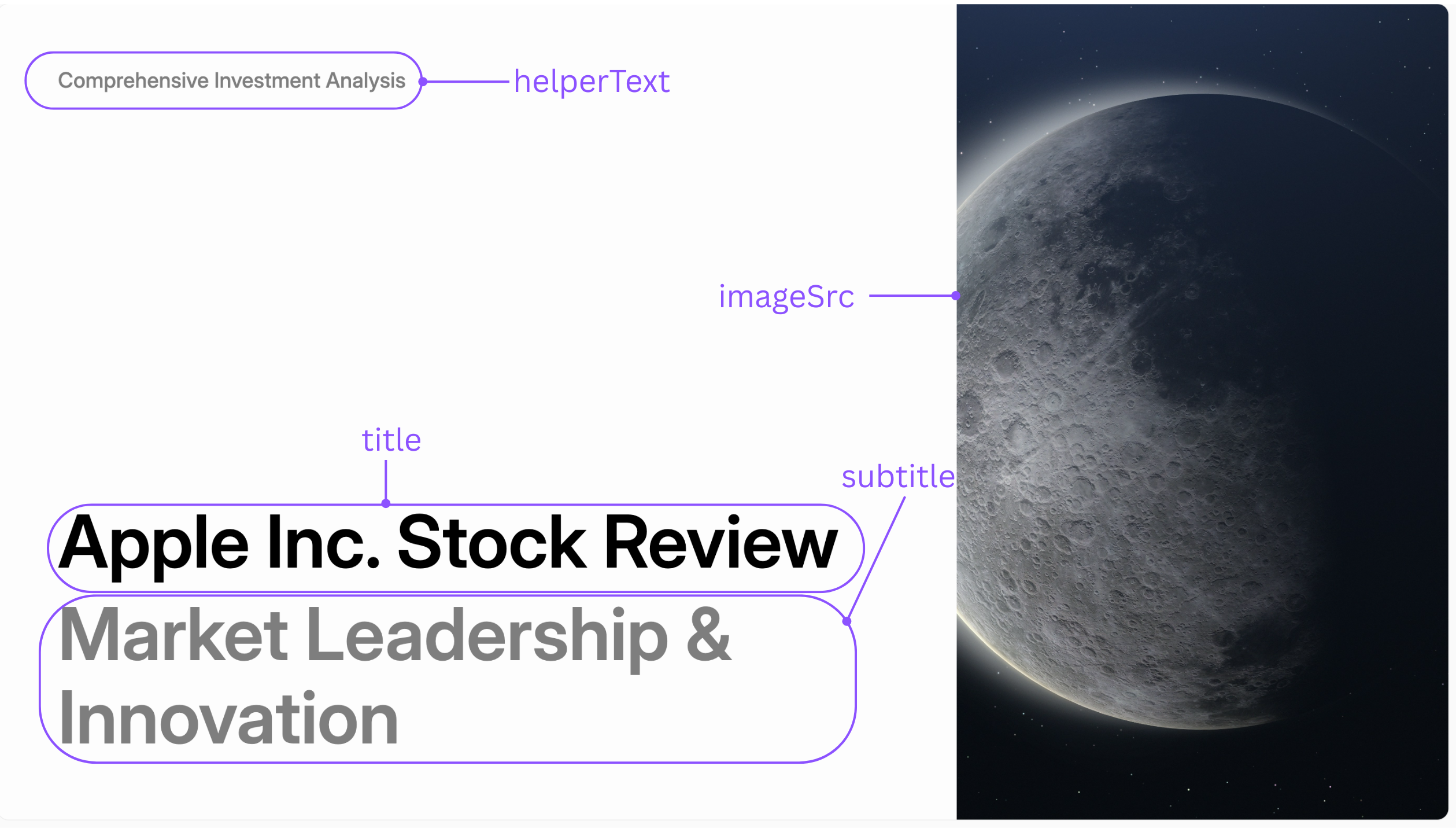
A versatile title slide that combines text with a prominent image. Annotated view of the TitleWithImage template
Parameters

NameRequiredDescription
titleYesThe main title of the slide.
subtitleNoOptional text appearing below the title.
helperTextNoOptional smaller text for additional context.
imageSrcYesThe URL or source path for the image.

Layouts

The layout parameter controls the position of the image relative to the text.
image_rightimage_bottom
Image on the right sideImage at the bottom

TitleOnly

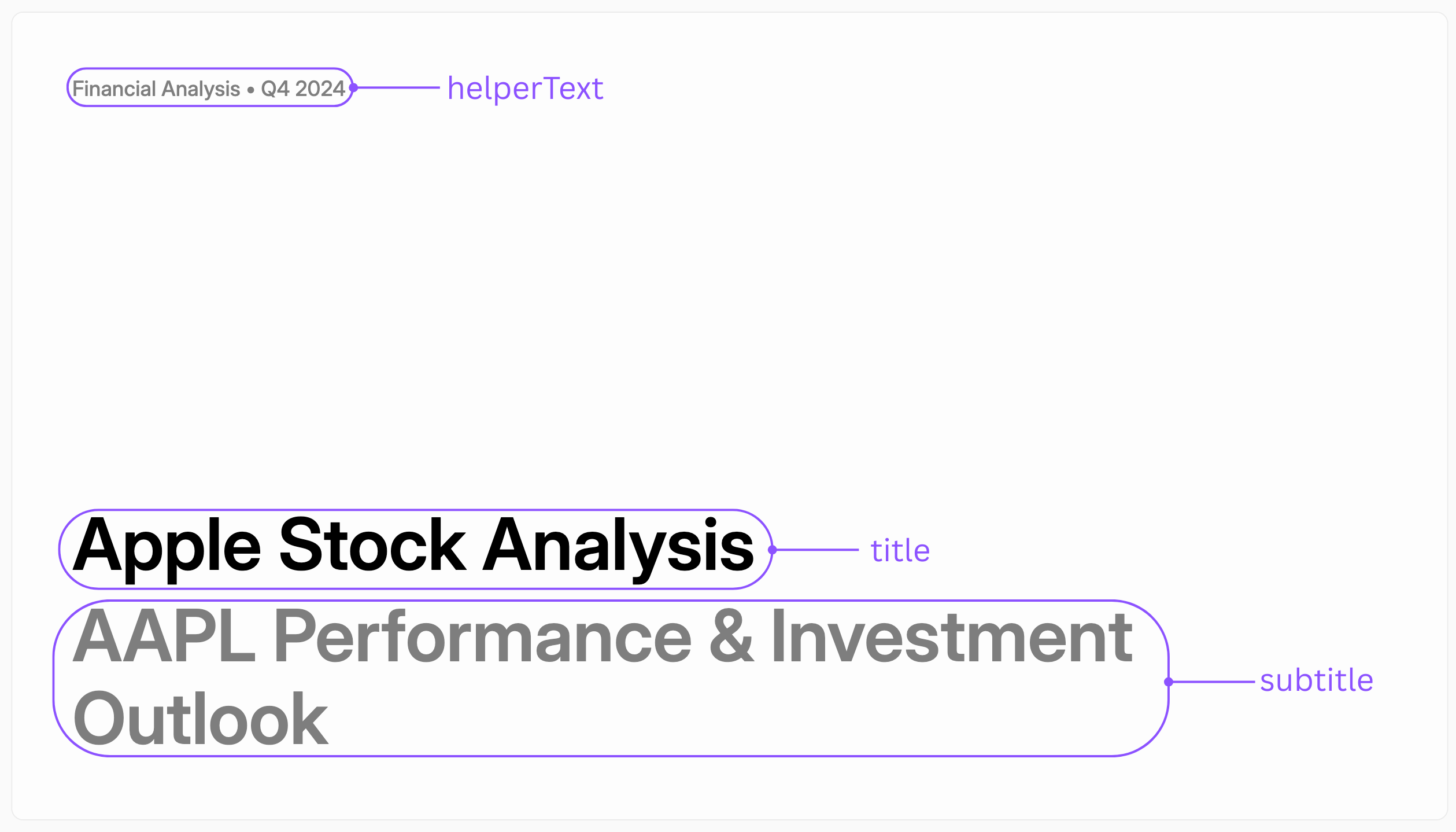
A clean, text-focused slide for section headers or primary titles. Annotated view of the TitleOnly template
Parameters

NameRequiredDescription
titleYesThe main title of the slide.
subtitleNoOptional text appearing below the title.
helperTextNoOptional smaller text for additional context.

Layouts

The layout parameter controls the alignment of the text.
title_centertitle_top_left
Title text centeredTitle text in the top left

KeyStatement

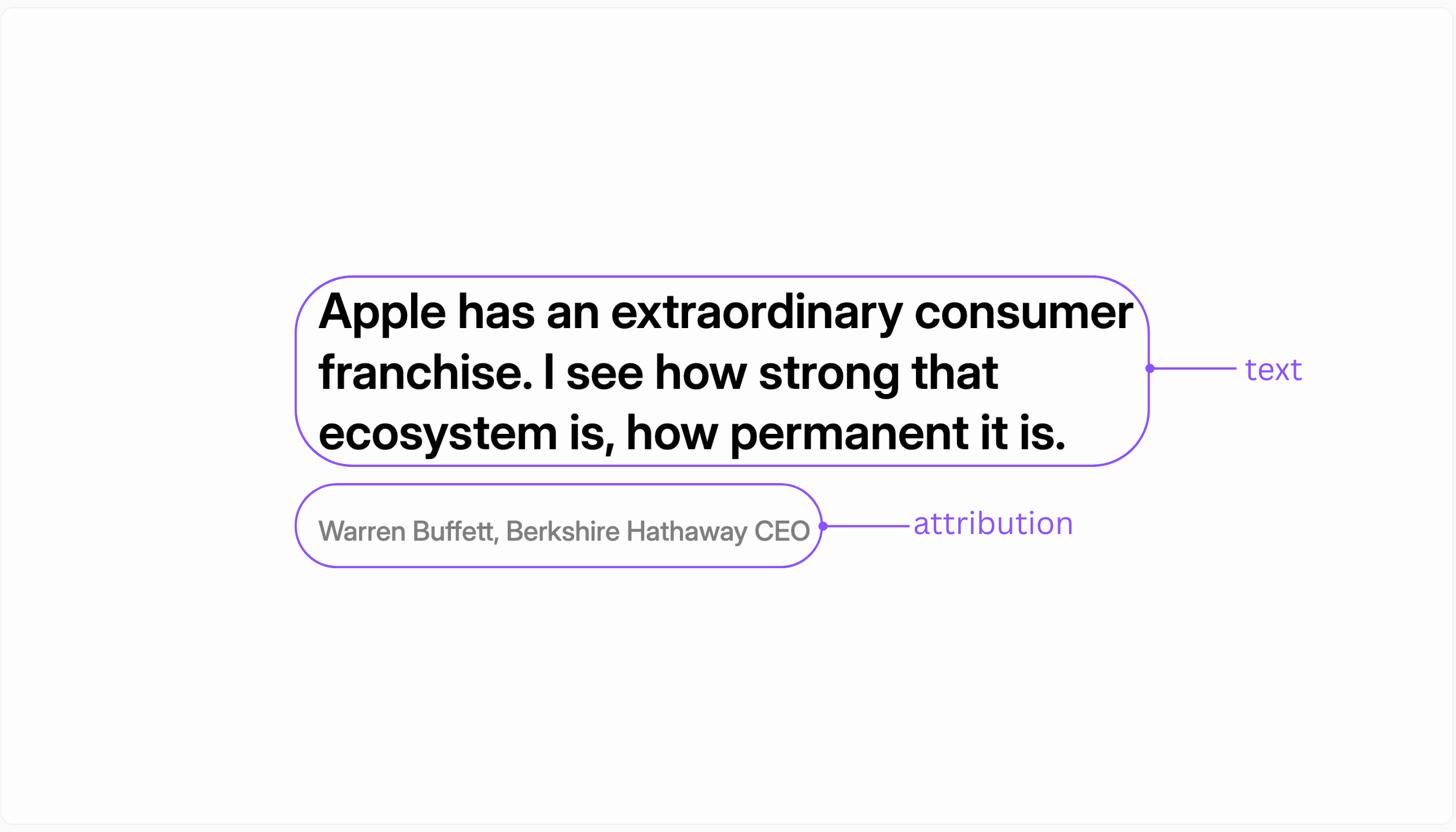
A slide designed to emphasize a single, powerful quote or statement. Annotated view of the KeyStatement template
Parameters

NameRequiredDescription
textYesThe main statement or quote.
attributionNoOptional source or author of the statement.

BigFact

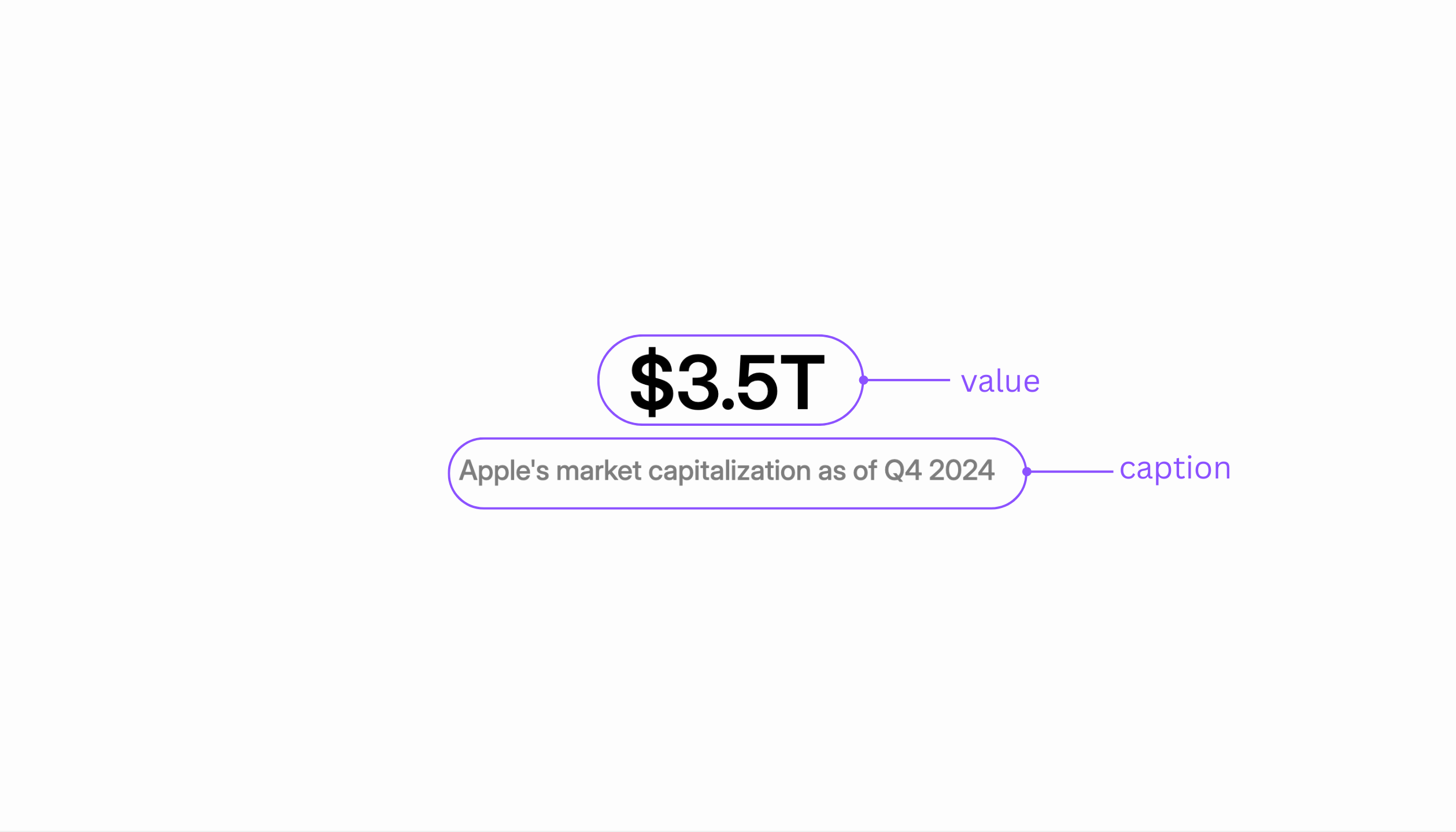
Use this slide to highlight a single, impactful data point or statistic. Annotated view of the BigFact template
Parameters

NameRequiredDescription
valueYesThe statistic or data point (e.g., “85%”, “$2.3M”).
captionYesThe descriptive text that provides context for the value.

TwoColumnText

A layout for presenting two blocks of text side-by-side, ideal for comparisons. Annotated view of the TwoColumnText template
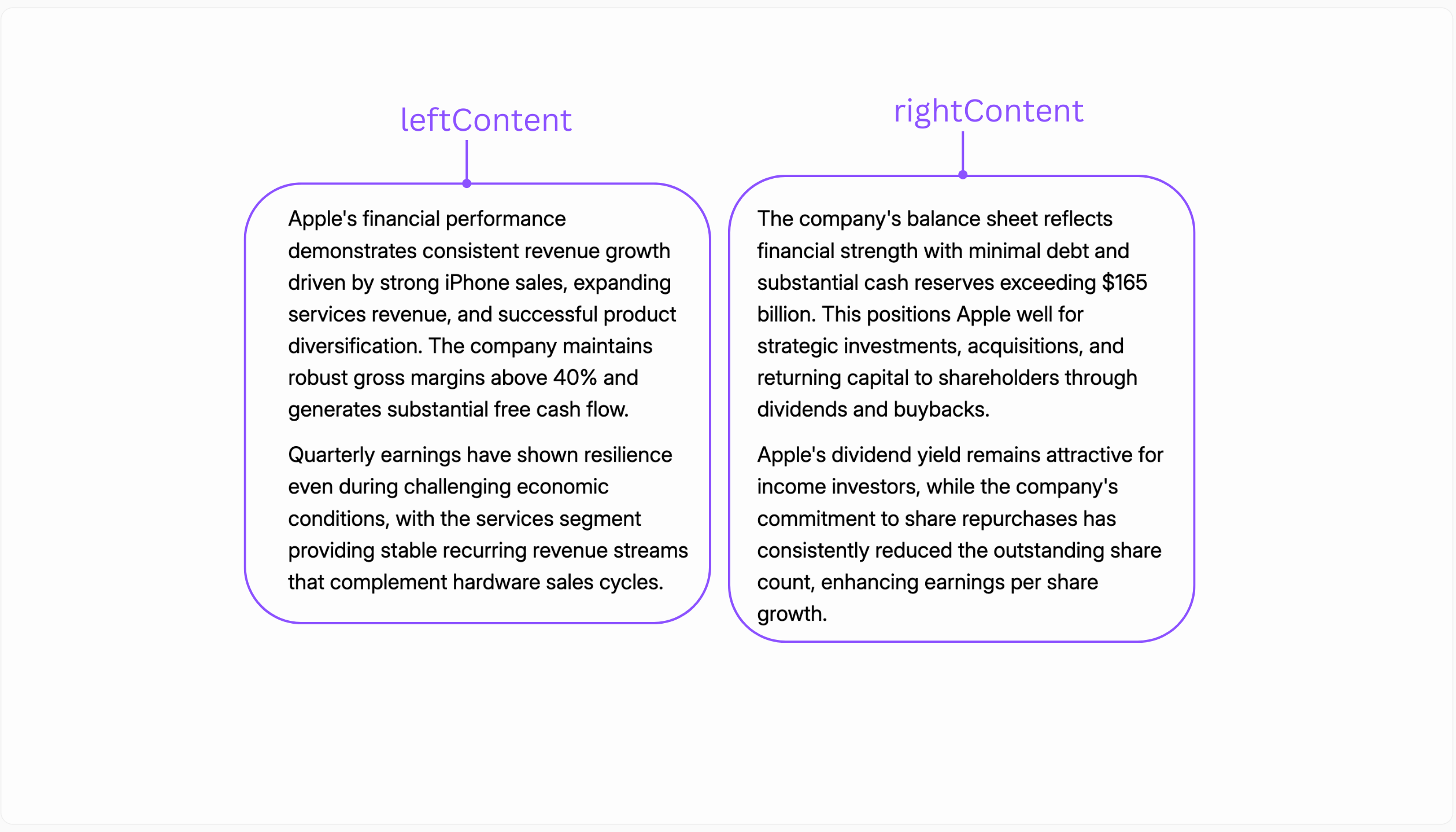
Parameters

NameRequiredDescription
leftContentYesThe text content for the left column.
rightContentYesThe text content for the right column.

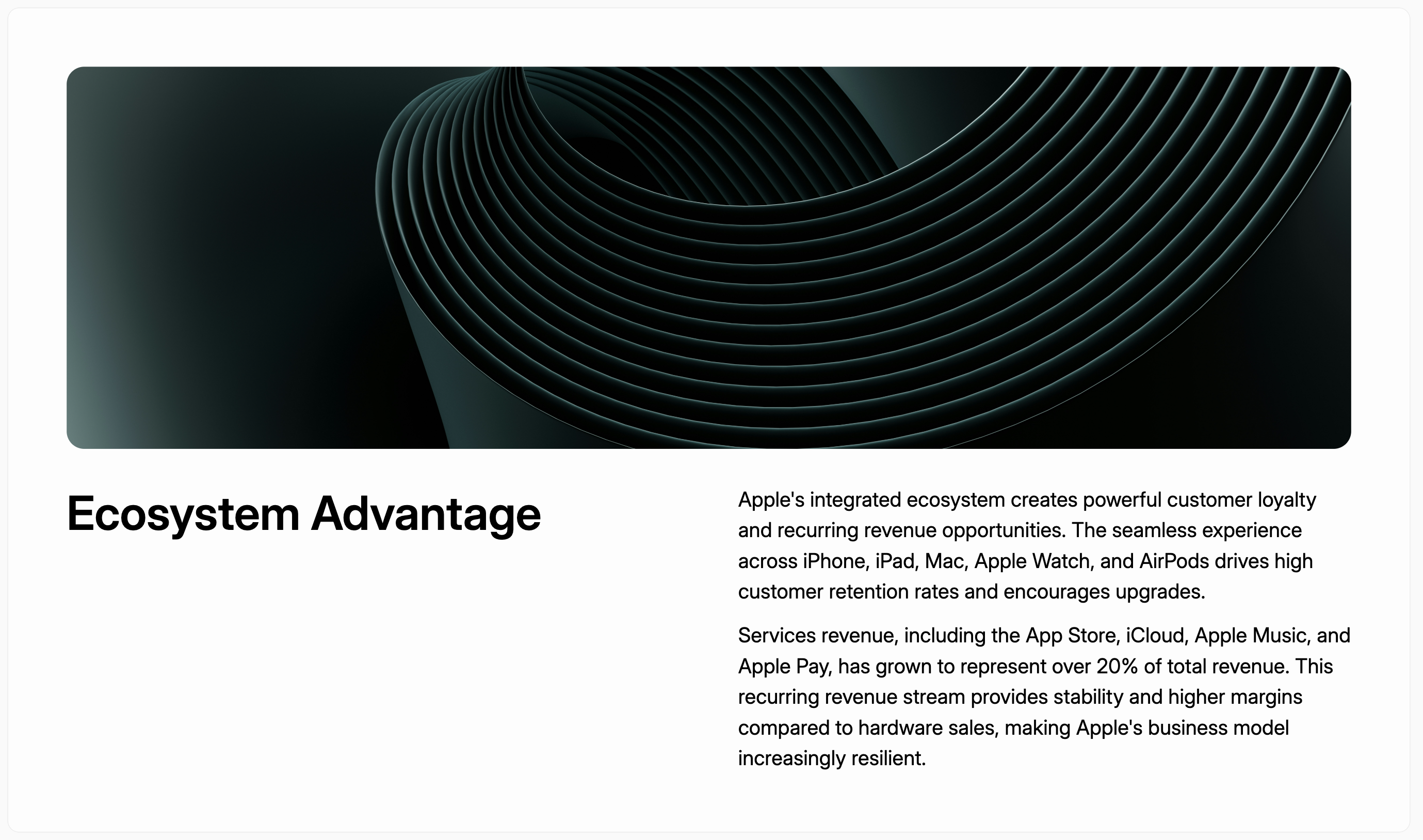
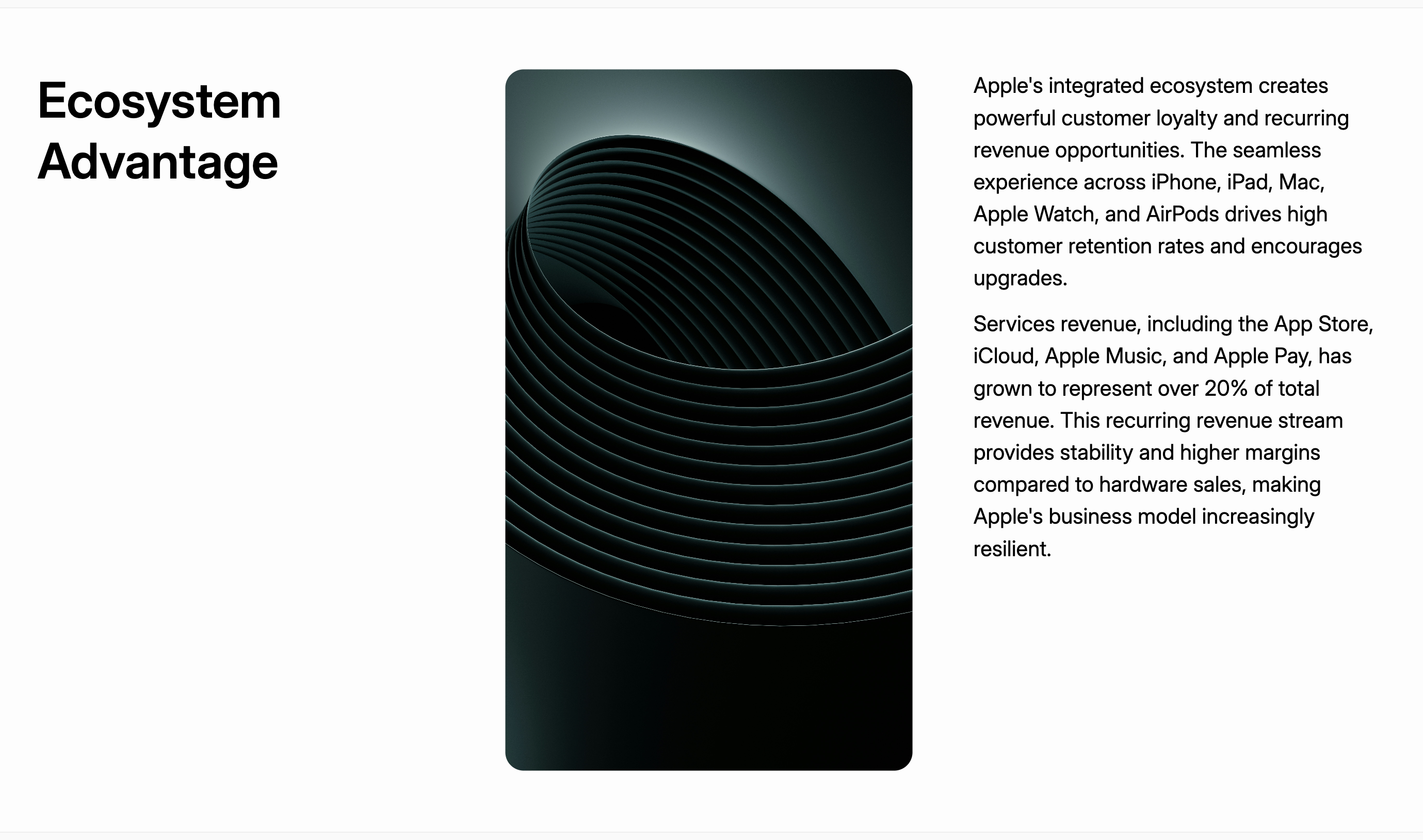
TextWithImage

A standard content slide that combines a title, a body of text, and a supporting image. Annotated view of the TextWithImage template
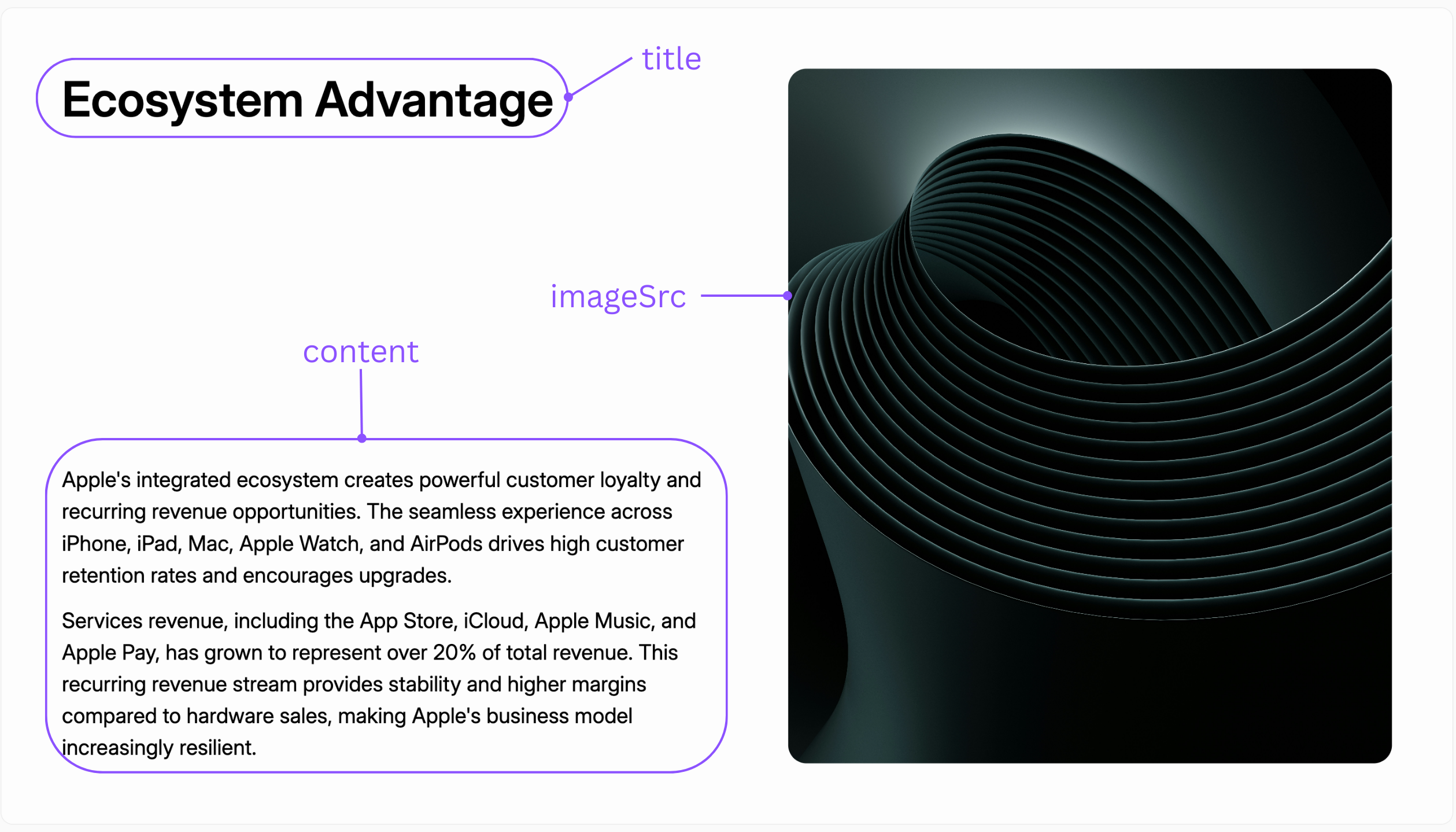
Parameters

NameRequiredDescription
titleYesThe title of the slide.
contentYesThe main body text.
imageSrcYesThe URL or source path for the image.

Layouts

The layout parameter controls the image position.
image_rightimage_topimage_middle
Image on the rightImage on the topImage in the middle

TextWithChartVertical

A content slide that displays a chart below the main text content. Annotated view of the TextWithChartVertical template
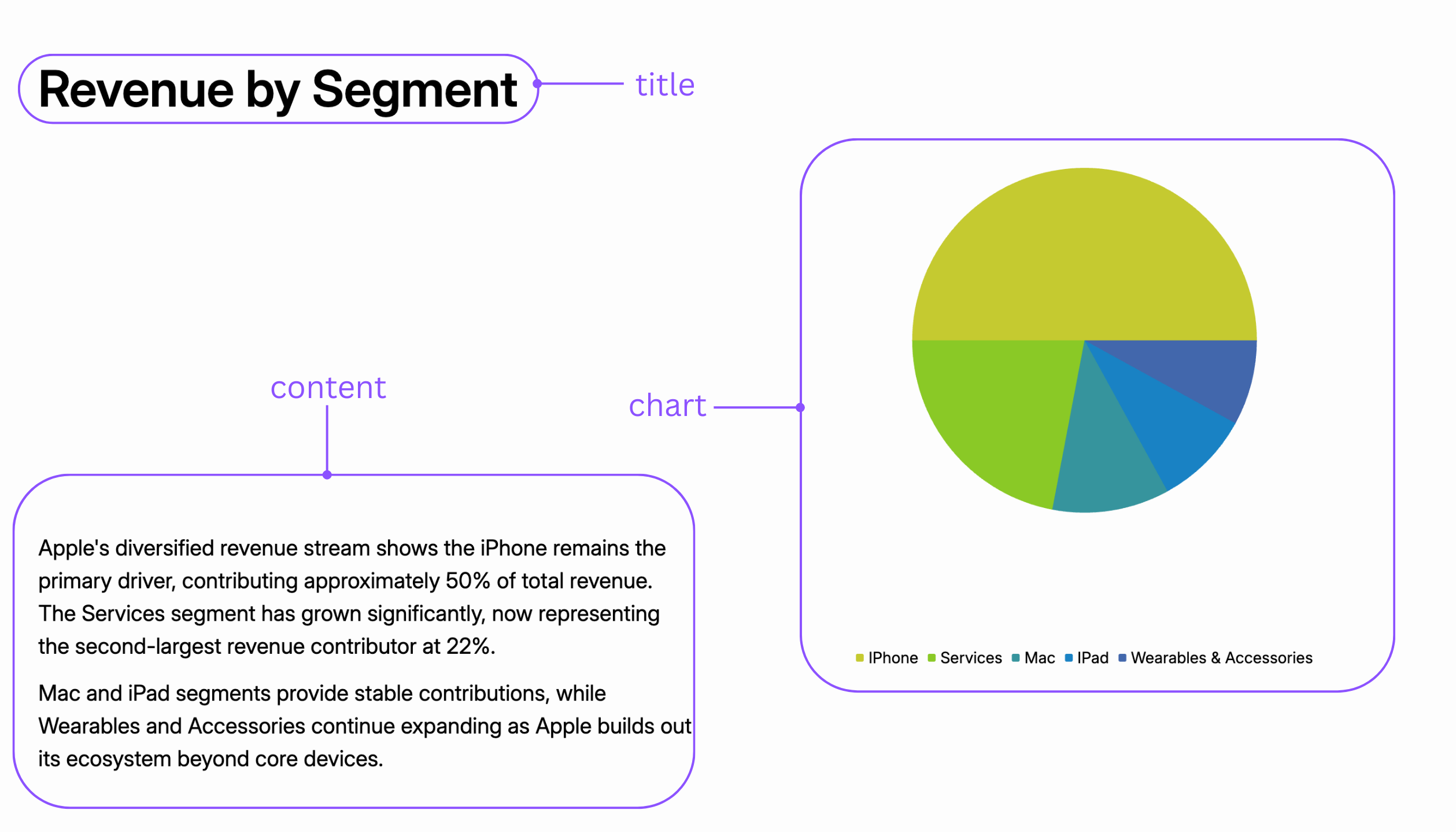
Parameters

NameRequiredDescription
titleYesThe title of the slide.
contentYesThe main body text.
chartYesChart data.

TextWithChartHorizontal

A content slide that displays a chart to the side of the main text content. Annotated view of the TextWithChartHorizontal template
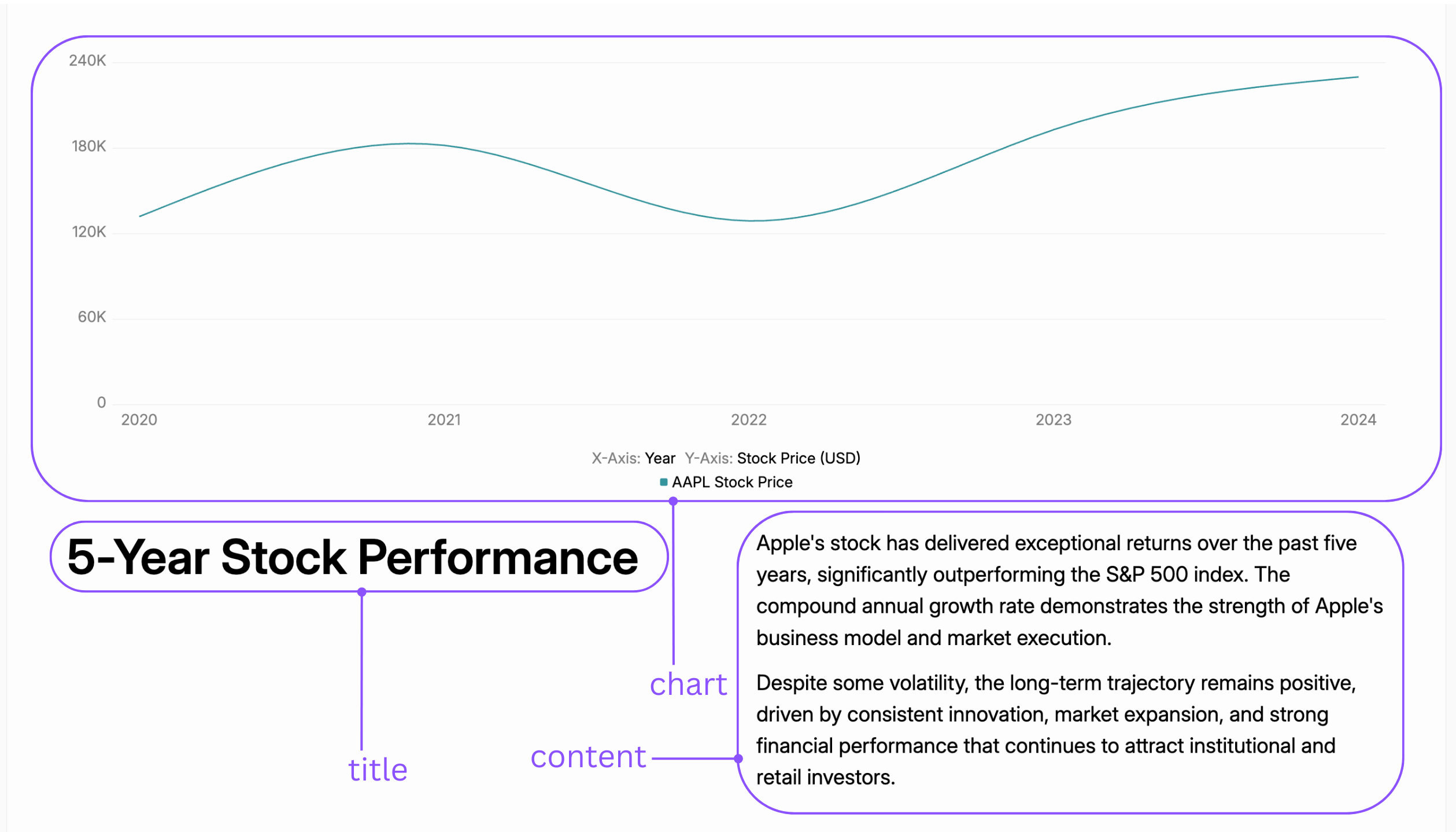
Parameters

NameRequiredDescription
titleYesThe title of the slide.
contentYesThe main body text.
chartYesChart data.

TextWithTwoChartsHorizontal

A data-heavy slide for comparing two charts side-by-side, each with its own text. Annotated view of the TextWithTwoChartsHorizontal template
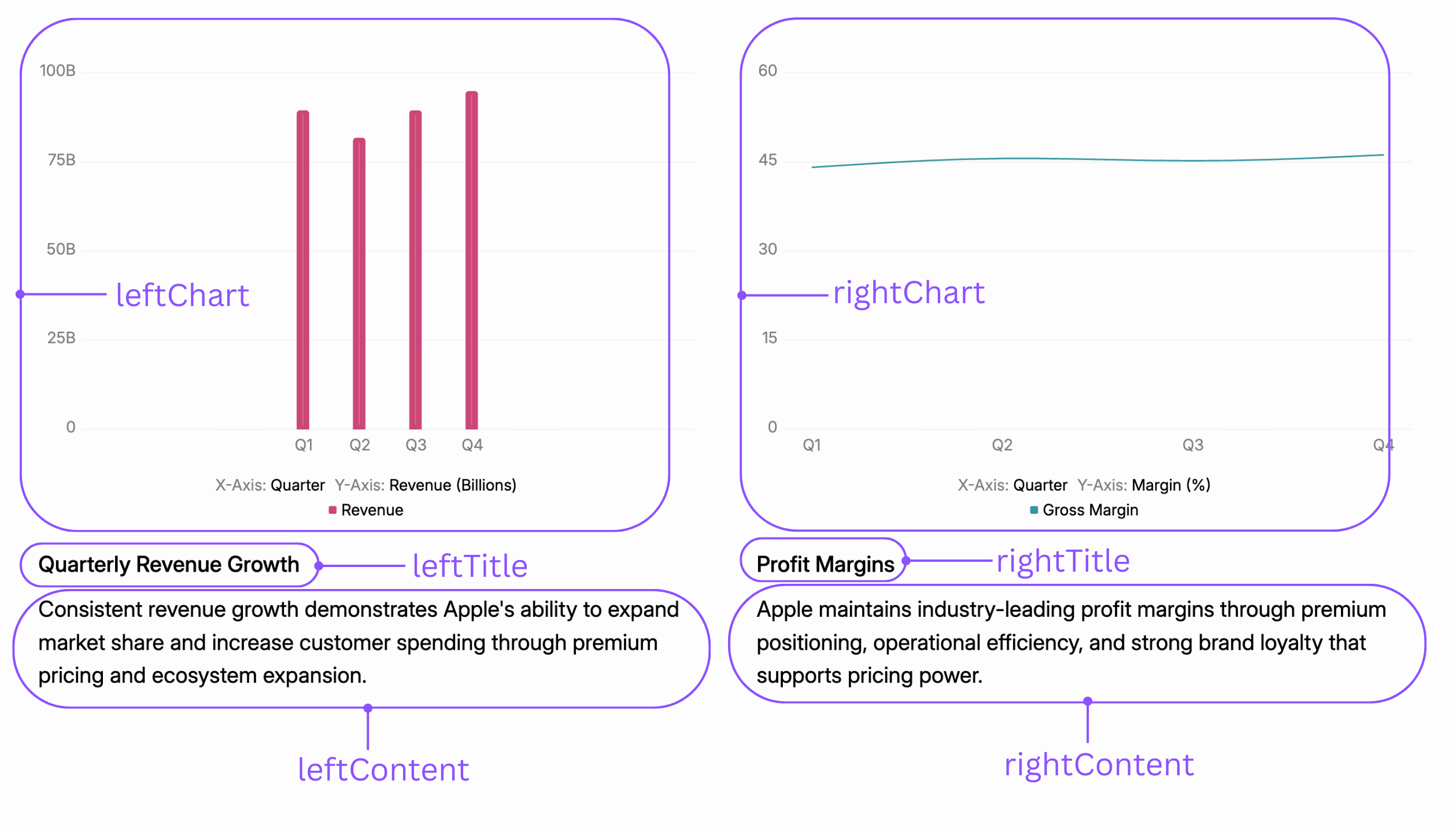
Parameters

NameRequiredDescription
leftTitleYesThe title for the left-side content.
leftContentYesThe body text for the left side.
leftChartYesChart data for the left side.
rightTitleYesThe title for the right-side content.
rightContentYesThe body text for the right side.
rightChartYesChart data for the right side.

TextWithTwoChartsStacked

A data-heavy slide for presenting two charts vertically, with a single title and body of text. Annotated view of the TextWithTwoChartsStacked template
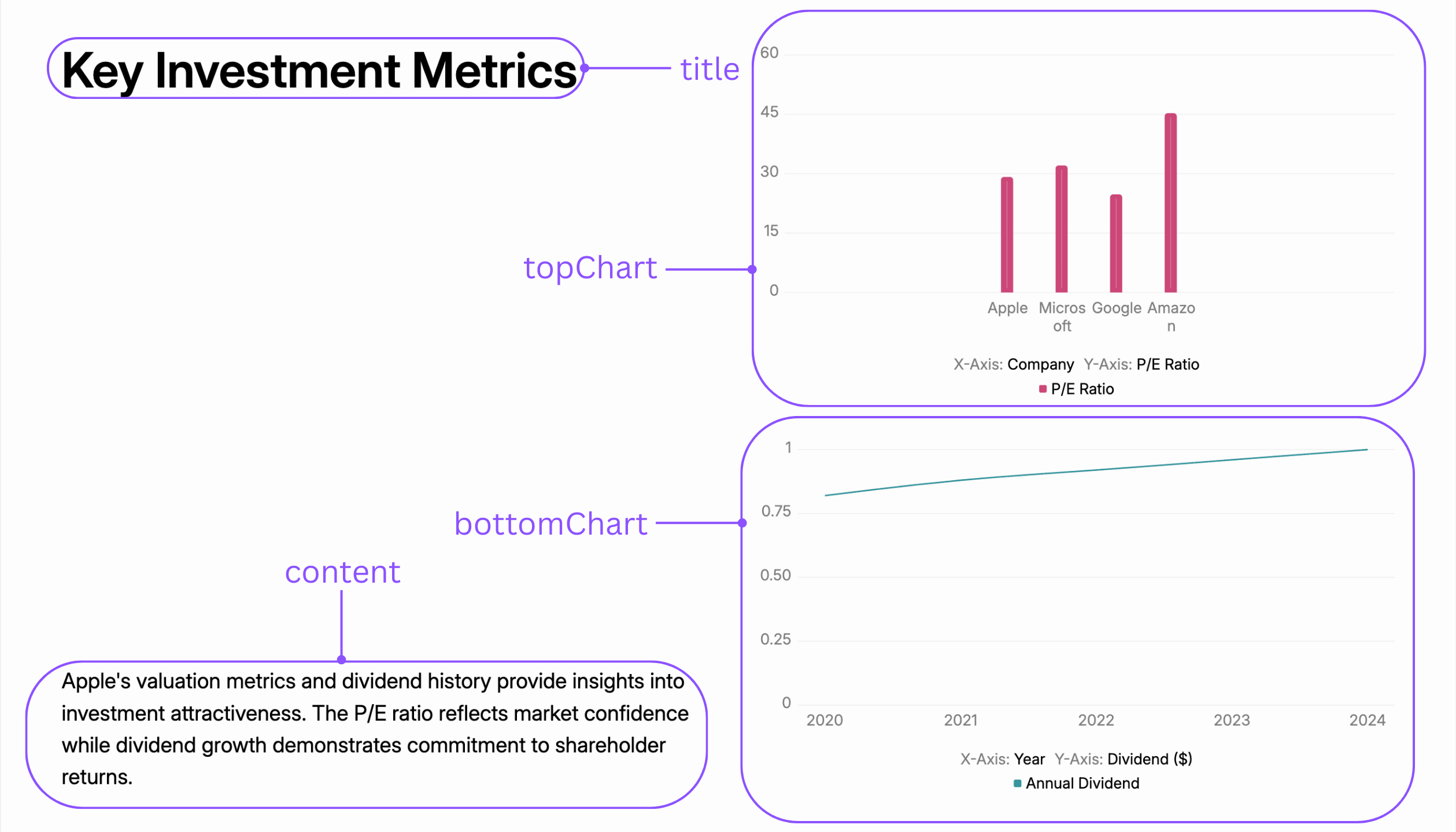
Parameters

NameRequiredDescription
titleYesThe main title for the slide.
contentYesThe main body text.
topChartYesChart data for the top position.
bottomChartYesChart data for the bottom position.